Click on Money Withdrawal (top right corner within the user account menu) Select Airtel Money as Withdrawal Method In the pop-up window enter the following:
Withdrawal Amount – With 500 UGX being the minimum and 10,000,000 UGX being the maximum amount. Click on Confirm.
After the transaction is processed, the funds will either return to your balance in case the transaction fails, or add to your Airtel wallet if successful.
(Log in before attempting to make a withdrawal)
Click on Money Withdrawal (top right corner within the user account menu) Select MTN Mobile Money as Withdrawal Method In the pop-up window enter the following:
Withdrawal Amount – With 500 UGX being the minimum and 10,000,000 UGX being the maximum amount. Click on Confirm.
After the transaction is processed, the funds will either return to your balance in case the transaction fails, or add to your MTN wallet if successful.
(Log in before attempting to make a withdrawal)
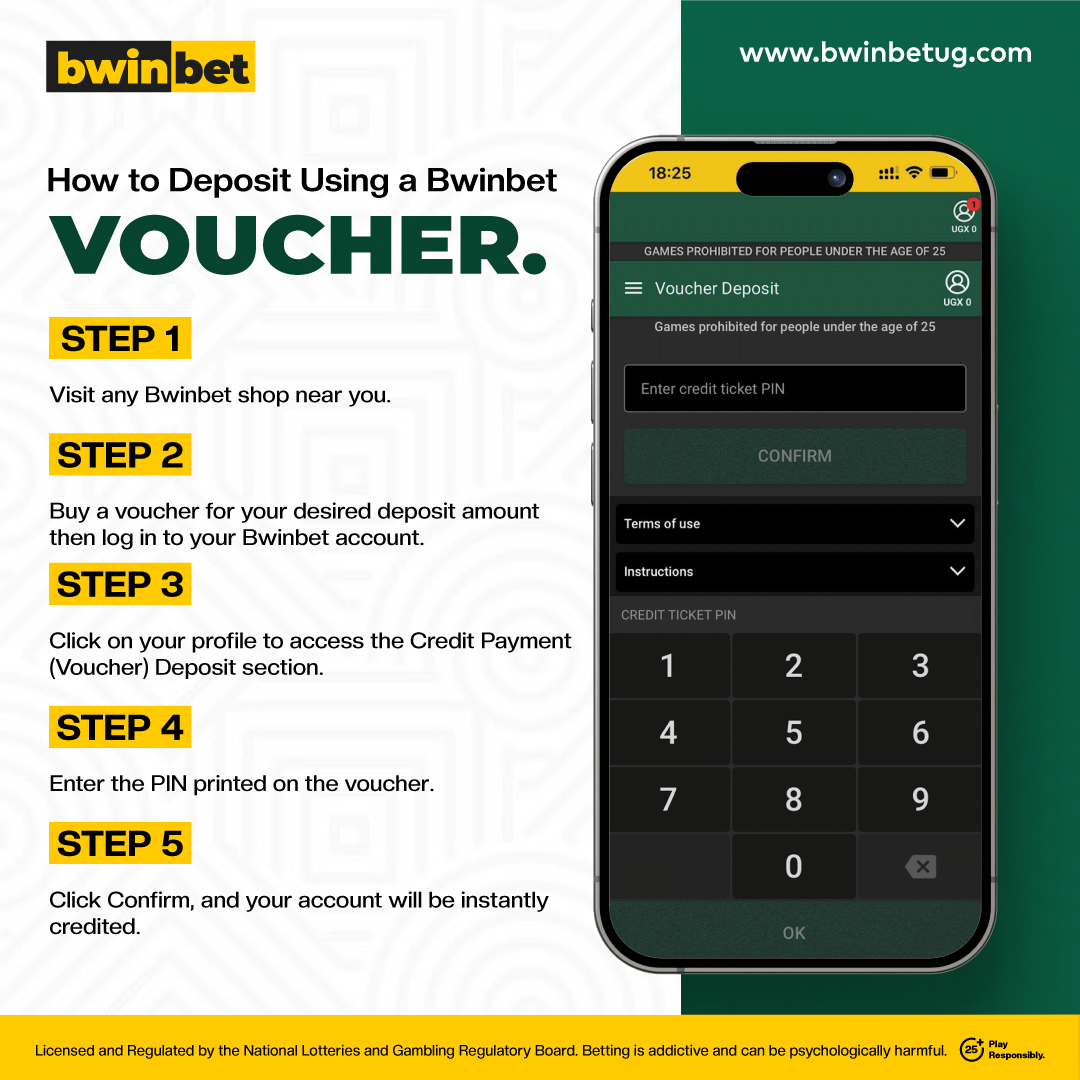
How to Deposit Using a Voucher
Access the Voucher Deposit Section
Log in to your account and click on the Voucher Deposit option located at the top right corner of your account menu.
Enter the Voucher PIN
Enter your Voucher PIN to redeem the funds and have them added directly to your account balance.
Deposit Amount
Minimum Deposit: 500 UGX
Maximum Deposit: 10,000,000 UGX
Once you’ve entered the Voucher PIN, the funds will be deposited into your account. Note: Be sure to log in before attempting to make any deposits.